

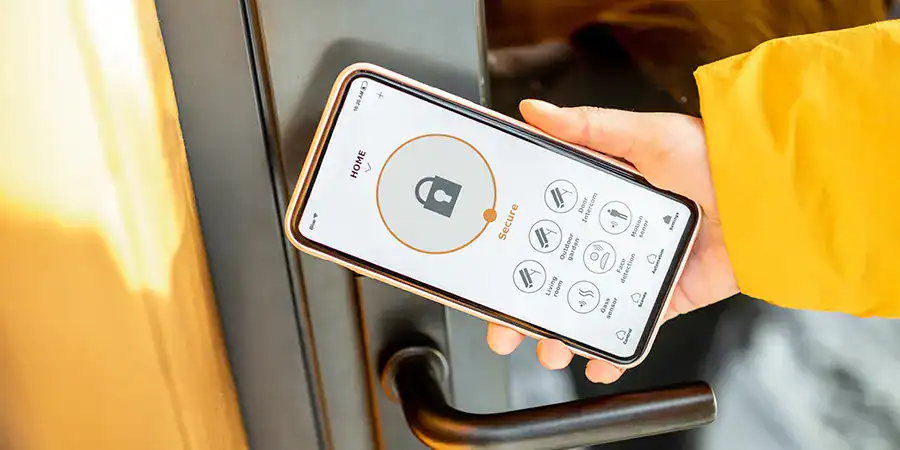
Smart locks can be hacked, but most break-ins are preventable. The biggest risks come from weak PINs, outdated firmware, poor security settings, and low-quality hardware.
Fortunately, a few simple steps can dramatically improve your protection: use strong passcodes, enable two-factor authentication, keep software up to date, and choose locks with AES 128-bit or 256-bit encryption.
In this guide, you’ll learn how smart lock hacks happen, the most effective ways to prevent them, and what security features to look for when buying a smart lock.
The most common smart lock hacking methods
Smart locks offer convenience, keyless entry, remote access, and fewer lockouts. But many homeowners wonder if that convenience creates a security risk.
Hackers don’t have many tricks when it comes to smart locks, but the ones they use can be effective against poorly secured devices. Here are the main threats to know:
How hackers use Bluetooth sniffing to bypass locks
Many smart locks connect to your phone over Bluetooth. Attackers can use cheap tools to intercept that signal.
- Devices like Ubertooth One or Bleno can “sniff” Bluetooth signals between your phone and lock (Welock, 2026).
- If the data isn’t encrypted, a hacker can capture your digital key.
- This usually requires the attacker to be close to your home.
Replay attacks on smart locks
A replay attack records a valid unlock signal and plays it back later to open the door.
- The hacker captures the signal when you unlock the door.
- They then “replay” that same signal to trick the lock into opening.
- Locks with rolling codes or strong encryption are protected against this.
Wi-Fi interception and credential theft
Wi-Fi-enabled locks offer remote control, but that connection can be a target.
- Hackers may intercept data sent over an unsecured network.
- Stolen login details can give them access to your lock’s app.
- A weak home Wi-Fi password puts every connected device at risk.
Why weak PINs and default settings are a major risk
The simplest hack often requires no special tools.
- Predictable PINs like “1234” or “0000” are easy to guess.
- Many users never change the default password that came with the lock.
- Sharing codes too freely also increases your exposure.
This matters more than ever. IoT devices faced an average of 820,000 malicious hacking attempts per day in 2025 — a 46% jump from the year before (DeXpose, 2026).
How can you secure your smart lock against cyber threats?
You don’t need to be a tech expert to protect your lock. A handful of habits go a long way.
Why you should enable two-factor authentication (2FA)
Two-factor authentication adds a second layer of protection beyond your password.
- Even if a hacker steals your password, they can’t log in without the second code.
- The code is usually sent to your phone or email.
- Security experts at ADT list 2FA as a key feature for safe smart locks.
How regular firmware updates protect your device
Firmware is the software that runs your lock. Manufacturers release updates to fix security holes.
- Look for locks that offer over-the-air (OTA) updates.
- Turn on automatic updates if your lock supports them.
- Outdated firmware leaves known vulnerabilities wide open.
Why AES 128-bit or 256-bit encryption is essential
Encryption scrambles the data your lock sends so hackers can’t read it.
- A secure lock should use AES encryption with a 128- or 256-bit key.
- This protects against Bluetooth sniffing and Wi-Fi interception.
- Avoid off-brand or suspiciously cheap models that skip encryption.
How physical security complements digital lock safety
Digital protection means little if the hardware is weak.
- Install a lock with a solid metal body and tamper alerts.
- Reinforce your door frame and strike plate — a common weak spot.
- Pair your smart lock with a security camera or doorbell cam for extra coverage.
Choosing the most secure smart lock for your home
The right lock depends on how you plan to use it. Here’s a quick way to decide:
- Choose a Bluetooth-only lock if you want to minimize remote internet attacks and don’t need to unlock your door remotely.
- Choose a Wi-Fi or Z-Wave lock if remote access matters more than minimizing your online attack surface.
- Choose a keypad lock if you share access often — just commit to strong, unique PINs.
No matter the type, prioritize models with strong encryption, regular updates, and good reviews. Skip the bargain-bin brands. A reliable lock is worth the extra investment, and many install in under an hour with basic tools.
Locking down your home’s digital front door
Smart locks are only as secure as their setup. Use a strong PIN, enable two-factor authentication, keep firmware updated, and choose a lock with AES encryption and OTA updates.
Your front door protects your home. Your smart lock should too. Pick a trusted model, verify the security features, and enjoy keyless convenience with confidence.
FAQs: Protecting smart locks from hacking
Q: Can smart locks really be hacked?
Yes, but it’s uncommon. Most successful hacks target locks with weak PINs, no encryption, or outdated firmware. A well-secured lock from a reputable brand is very difficult to breach.
Q: Are smart locks safer than traditional locks?
They can be. Smart locks remove risks like hidden spare keys and lock picking. With strong encryption and 2FA, many are more secure than standard deadbolts.
Q: What is the most secure type of smart lock?
Look for locks with AES 128-bit or 256-bit encryption, two-factor authentication, and over-the-air updates. The connection type (Bluetooth, Wi-Fi, or Z-Wave) matters less than these core security features.
Q: Do I need Wi-Fi for a smart lock to work?
Not always. Bluetooth-only locks work without Wi-Fi but limit remote access. Wi-Fi or hub-based locks let you control the door from anywhere, but at the cost of a larger online attack surface.
Q: How often should I update my smart lock’s firmware?
Update as soon as new firmware is released. Enable automatic updates if your lock supports them, since outdated software is one of the most common entry points for hackers.
Q: Will a dead battery lock me out of my house?
Most smart locks warn you well before the battery dies, and many include a physical key or external charging option as a backup. Always keep a backup method handy.
Q: Can a hacker unlock my door from far away?
Only if your lock connects to the internet and lacks proper security. Bluetooth-only locks require a hacker to be physically close. Strong passwords and encryption greatly reduce remote risks.
Q: Is it safe to share access codes with guests?
Yes, if you do it carefully. Create temporary or unique codes for guests instead of sharing your main PIN, and delete them when they’re no longer needed.