

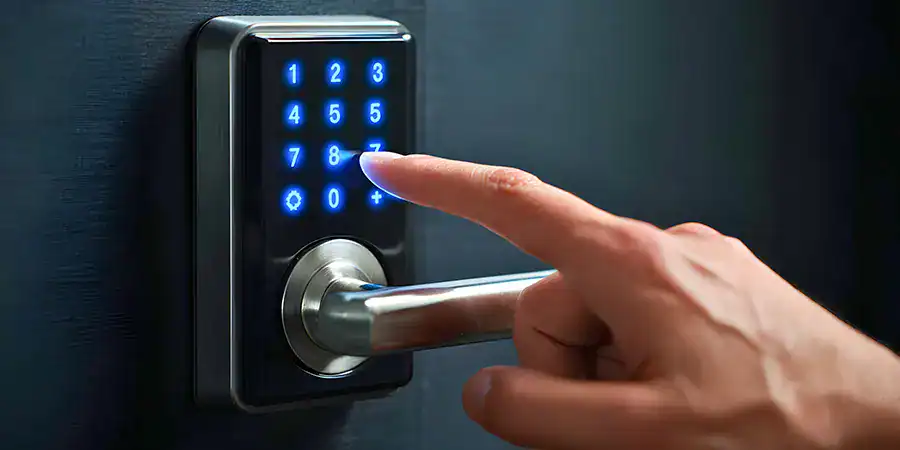
That salty beach air isn’t just rusting your bike — it’s actively eating away at your smart lock.
While coastal humidity feels mild, the combination of fog, ocean vapor, and airborne salt creates a microscopic recipe for lock failure. If your keypads on your gate, garage, or front door have started lagging, beeping erratically, or failing to register button presses, coastal moisture may already be at work.
Here is how salt air attacks your keypads from the inside out and how you can shield them.
How Coastal Humidity Affects Electronic Lock Keypads
Southern California’s coastal areas — from San Diego up through Long Beach and Malibu — experience a marine layer for much of the year. This low-lying fog deposits moisture on outdoor surfaces, including your keypad.
Here’s how that moisture creates problems:
- Salt air accelerates corrosion. Metal contacts, circuit boards, and battery terminals are all vulnerable. Salt accelerates oxidation, degrading metal components faster than in dry, inland environments.
- Moisture seeps into seams and button gaps. Even keypads rated for outdoor use can absorb moisture through small openings, especially as seals wear over time.
- Condensation forms on internal components. Temperature swings between cool evenings and warm afternoons — common along the SoCal coast — cause condensation to form inside the keypad housing.
- Electronic components short-circuit. Water and electricity don’t mix. Persistent moisture increases the risk of short circuits, which can render the keypad completely unresponsive.
Common Problems Caused by High Humidity
If your keypad is showing any of the following signs, coastal humidity may be the culprit:
- Sticky or unresponsive buttons — Moisture causes buttons to stick or fail to register inputs consistently.
- Erratic behavior or false signals — The keypad may beep randomly, unlock without input, or lock you out unexpectedly.
- Corroded battery compartment — Green or white residue around battery terminals is a clear sign of moisture damage.
- Faded or illegible keypad display — Salt deposits and moisture cloud LCD and LED displays over time.
- Frequent low-battery warnings — Corroded contacts increase electrical resistance, draining batteries faster than normal.
- Complete failure — In advanced cases, internal circuit boards corrode to the point of no return.
Prevention & Maintenance Tips
Most humidity-related damage is preventable with a consistent maintenance routine.
Apply a Weatherproofing Spray
- Use a silicone-based or moisture-displacing spray (like WD-40 Specialist Water Resistant Silicone) on exterior surfaces and seams.
- Reapply every 3–6 months, especially before the winter marine layer season.
- Avoid spraying directly on button contacts or display screens.
Install a Keypad Cover or Hood
- A weatherproof cover or rain hood shields the keypad from direct exposure to moisture.
- Look for covers rated for coastal or marine environments.
- Ensure the cover doesn’t trap heat, which can degrade electronics separately.
Clean the Keypad Regularly
- Wipe down the keypad monthly with a dry or slightly damp microfiber cloth.
- Use a cotton swab dipped in isopropyl alcohol (70%) to clean around button edges and seams.
- Remove and inspect the battery compartment every 2–3 months for corrosion.
Check & Replace Seals
- Inspect the rubber gaskets around the keypad housing for cracks or shrinkage.
- Replace worn seals with marine-grade weatherstripping to restore the moisture barrier.
Upgrade to a Higher IP-Rated Keypad
- IP65 or IP66-rated keypads offer strong protection against water ingress and are better suited for coastal conditions.
- Look for models with stainless steel or marine-grade aluminum housings.
When to Replace Your Electronic Lock Keypad
Consider replacing your keypad if:
- Buttons remain unresponsive after cleaning and battery replacement.
- Corrosion is visible on internal components. Once the circuit board corrodes, repairs are rarely cost-effective.
- The keypad triggers false unlocks or lockouts, which is a security risk regardless of the cause.
- The housing is cracked or warped, allowing unrestricted moisture entry.
- The keypad is more than 5–7 years old and showing multiple symptoms. At this stage, replacement is more economical than repeated repairs.
When replacing, prioritize models with at least an IP65 rating, UV-resistant housing, and stainless steel components. These features make a measurable difference in coastal environments.
FAQs: Electronic Keypads in Coastal Areas
Q: How does coastal humidity differ from regular humidity?
Coastal humidity along Southern California carries salt particles suspended in the marine layer. This salt-laden moisture accelerates corrosion on metal components far more aggressively than the dry or inland humidity typical of areas like the Inland Empire or the desert.
Q: What’s an IP rating, and what rating should I look for?
An IP (Ingress Protection) rating is a measure of how resistant an electronic keypad is to dust and water. The first digit refers to solid particle protection, while the second digit refers to liquid ingress protection. For coastal areas, look for a minimum IP65 rating, which indicates total protection against dust and low-pressure water jets.
Q: What materials are suitable for electronic keypads in coastal environments?
Stainless steel or marine-grade aluminum is ideal for electronic keypads in coastal areas due to their resistance to saltwater corrosion and high humidity. These materials also have high durability and can withstand UV exposure without fading or degrading.
Q: Can I use a regular indoor keypad outside near the coast?
No. Indoor keypads lack weatherproofing, sealed housings, and corrosion-resistant materials. Using one outdoors in a coastal environment will significantly shorten its lifespan, often to just a few months.
Q: How often should I inspect my keypad if I live near the beach?
Perform a visual inspection monthly, and a full cleaning with a battery compartment check every 2–3 months. Apply a weatherproofing spray every 3–6 months, especially as the cooler, foggier season approaches.
Q: Is corrosion covered under most keypad warranties?
Most manufacturers exclude environmental damage, including corrosion from moisture or salt air, from standard warranties. Check your warranty terms before purchasing, and look for brands that offer extended or coastal-specific coverage.
Q: What’s the best way to clean corrosion from battery terminals?
Apply a small amount of white vinegar or baking soda paste to the corroded terminal using a cotton swab. Let it sit for 2–3 minutes, scrub gently, then dry thoroughly. If corrosion is deep or widespread, replace the battery compartment or the entire unit.
Q: Can I weatherproof my existing keypad instead of replacing it?
Yes, up to a point. Silicone sprays, keypad covers, and gasket replacements can meaningfully extend the life of a moderately weathered keypad. However, if internal corrosion is already present, weatherproofing the exterior won’t reverse existing damage.
Q: Are smart keypads more or less vulnerable to coastal humidity than standard models?
Smart keypads with Wi-Fi or Bluetooth connectivity contain more electronic components, making them potentially more vulnerable to moisture damage. However, many modern smart locks are built with robust weatherproofing. Always verify the IP rating before installing a smart keypad in a coastal location.