
Choosing the right lock for your rental property is about more than security — it’s about making tenant turnover easier, controlling access, and reducing lockouts and rekeying costs.
From traditional deadbolts to keypad and smart locks, today’s options offer something for every property and budget. This guide compares the best rental property locks for 2026 so you can choose with confidence.
What Should Landlords Look for in a Rental Property Lock?
It helps to know what features matter most in a rental context:
- Rekeying ease: Can you change the lock configuration yourself, or do you need a locksmith every time a tenant moves out?
- Key control: Traditional keys can be duplicated at any hardware store. If key control matters, go keyless.
- Security certification: Look for BHMA Grade 1 (highest) or Grade 2 ratings. These indicate resistance to picking, drilling, and forced entry.
- Tenant turnover frequency: Short-term Airbnb rentals need instant code changes. Long-term tenants can work with traditional rekeying.
- Remote management: Smart locks let you create and delete access codes from your phone without visiting the property.
- Activity logs: Some locks track who entered and when — useful for verifying tenant arrivals, service visits, or unauthorized access.
The Main Types of Locks for Rental Properties
Traditional Deadbolt Locks
Traditional deadbolts use physical keys and have been the standard for decades. They’re reliable, affordable, and familiar to tenants. The main downside in a rental context: key duplication is hard to control, and rekeying requires either a locksmith or a SmartKey-compatible lock.
Best for: Long-term rentals with low tenant turnover.
Example: The Kwikset 980 features SmartKey technology, allowing landlords to rekey the lock in under 5 minutes without calling a locksmith. It also includes a 1-inch steel deadbolt and strong drill resistance — solid security at a reasonable price.
Keypad Locks
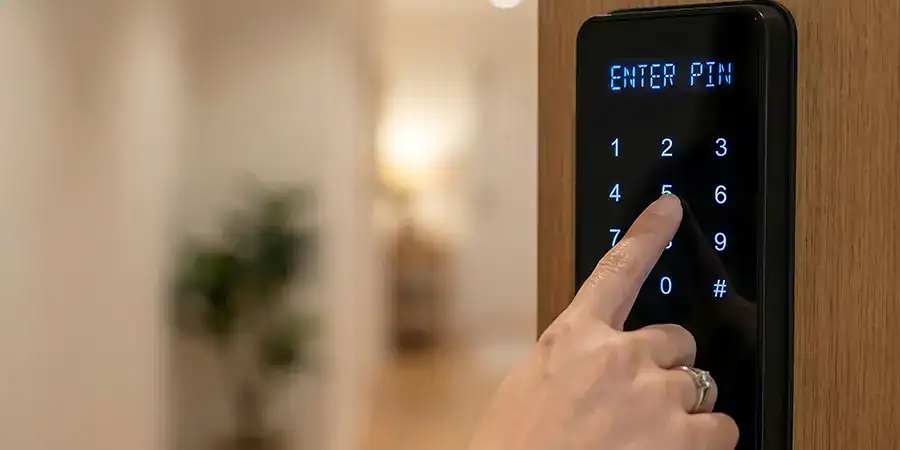
Keypad locks replace physical keys with numeric codes. No keys to lose or duplicate. Codes can be changed instantly between tenants. Many models also support multiple codes simultaneously — one for the tenant, one for you, one for your maintenance crew.
Best for: Mid-term rentals or landlords managing several properties.
Example: The Schlage Camelot Keypad offers a straightforward code-entry system, auto-lock functionality, and anti-pick and anti-bump security features. It’s a step up from traditional locks without the complexity of full smart lock connectivity.
Smart Locks
Smart locks connect via Wi-Fi or Bluetooth and are managed through a smartphone app. They offer the most flexibility for landlords, especially those managing multiple units or short-term rentals where access needs to change frequently.
Key smart lock benefits for landlords:
- Create and delete access codes remotely
- Set time-restricted codes (so a guest’s code expires at checkout)
- View real-time activity logs
- Receive alerts when the door is locked or unlocked
- Eliminate rekeying entirely
Best for: Short-term rentals, multi-unit portfolios, and landlords who want full remote management.
What Are the Best Smart Locks for Rental Properties in 2026?
Here’s a quick comparison of top-rated smart locks based on price, features, and rental suitability:
Schlage Encode — $250–$280
- Built-in Wi-Fi (no hub required)
- BHMA Grade 1 certified
- Supports up to 100 access codes with custom schedules
- Integrates with Amazon Alexa, Google Assistant, and Ring
- Best for landlords who want proven hardware and straightforward app management
Yale Assure Lock 2 — $200–$250 (plus $30–$80 for connectivity module)
- Modular Wi-Fi, Thread, or Bluetooth connectivity
- Supports up to 250 access codes
- Touchscreen keypad with auto-lock after 30 seconds
- Best for landlords scaling across multiple units with varying network setups
Eufy Smart Lock C220 — $130–$160
- Budget-friendly with built-in Wi-Fi
- IP65 weatherproof rating for exterior doors
- Supports 100 fingerprints and 100 access codes
- One-year battery life on four AA batteries
- Best for landlords adding smart locks across multiple units on a tight budget
Kwikset Halo — $180–$220
- Built-in Wi-Fi, no hub needed
- SmartKey rekeying option if you ever want to switch back to physical keys
- Fingerprint-resistant touchscreen
- Supports up to 250 user codes
- Best for landlords who want smart features with a traditional fallback
August Wi-Fi Smart Lock — $230–$260
- Installs over your existing deadbolt in 10–15 minutes
- Retains physical key access for maintenance staff
- DoorSense sensor confirms the door is fully closed and latched
- Best for landlords who want to add smart functionality without replacing existing hardware
Should You Rekey or Replace Locks Between Tenants?
This is one of the most common questions landlords face. The short answer:
- Rekey if your lock is in good condition and you just need to invalidate the previous tenant’s keys. Rekeying costs $20–$50 through a locksmith, or less than $10 in parts if you use a SmartKey-compatible lock like the Kwikset 980.
- Replace if the lock is worn, outdated, or if you want to upgrade to a keypad or smart lock. Replacing makes more sense when you’re also improving security features.
- Use a smart lock if you want to skip this decision entirely. Smart locks let you delete old access codes and add new ones in seconds — no rekeying, no locksmith, no downtime between tenants.
For short-term rentals specifically, smart locks are the clear winner. Managing physical keys across weekly or monthly guest turnovers is impractical and creates unnecessary security exposure.
Protecting Your Investment Starts at the Door
A strong lock won’t replace good tenant screening or a solid lease agreement, but it makes everything easier. The right lock reduces your exposure to unauthorized key copies, simplifies tenant turnover, and provides a clear record of who accessed the property and when.
For most landlords managing one to five units, a smart lock like the Schlage Encode or Eufy Smart Lock C220 offers the best balance of security, convenience, and long-term value. If budget is the primary concern, even a basic keypad deadbolt is a significant upgrade over a traditional keyed lock in a rental context.
Start with your highest-turnover property. Install one lock, learn the system, and expand from there.
FAQs: Best Locks for Rental Properties
What’s the best lock for a rental property?
The best lock depends on your rental type. For short-term rentals, the Schlage Encode ($250–$280) is a top choice thanks to its built-in Wi-Fi, BHMA Grade 1 rating, and remote code management. For budget-conscious landlords, the Eufy Smart Lock C220 ($130–$160) delivers solid smart features at the lowest price point among quality options.
Do landlords have to rekey locks between tenants?
Many states and cities legally require landlords to rekey or replace locks between tenants. Requirements vary by location, so check with your local housing authority. Using a smart lock eliminates the need for physical rekeying — you simply delete the previous tenant’s code and create a new one remotely.
Are smart locks safe for rental properties?
Yes. Quality smart locks from brands like Schlage, Yale, and Eufy use advanced encryption to protect virtual keys and access data. Models with BHMA Grade 1 or Grade 2 certification also meet the same physical security standards as traditional deadbolts. Choose a lock with a physical key backup in case of power or connectivity failure.
What BHMA grade lock should a landlord choose?
BHMA Grade 1 offers the highest resistance to picking, drilling, and forced entry—best for exterior doors on rental units. Grade 2 provides solid durability for standard residential use. Avoid Grade 3 locks on exterior doors; they’re designed for interior use only.
Can tenants change the locks without the landlord’s permission?
In most jurisdictions, tenants cannot change locks without the landlord’s permission. Unauthorized lock changes may violate the lease agreement. Smart locks give landlords an added layer of oversight since access codes are managed through the landlord’s app account.
How many access codes does a rental property smart lock need to support?
For short-term rentals, look for a lock that supports at least 100 access codes — enough for guests, cleaners, maintenance staff, and property managers. The Yale Assure Lock 2 and Kwikset Halo both support up to 250 codes, making them well-suited for high-turnover properties.
What happens if a smart lock loses Wi-Fi or power?
Most smart locks default to a locked state when power or internet is lost. Look for models with physical key backups, external battery jumpstart ports, or Bluetooth unlocking as a fallback. The Lockly Secure Plus, for example, continues functioning offline, maintaining guest access even if connectivity fails.
Is it worth upgrading to a smart lock for a long-term rental?
Yes, even for long-term rentals. Smart locks eliminate rekeying costs, provide activity logs for security, and let you grant temporary access to maintenance staff without duplicating keys. The upfront cost ($130–$280 for most models) is typically recovered within one or two tenant turnovers when compared to locksmith rekeying fees.