

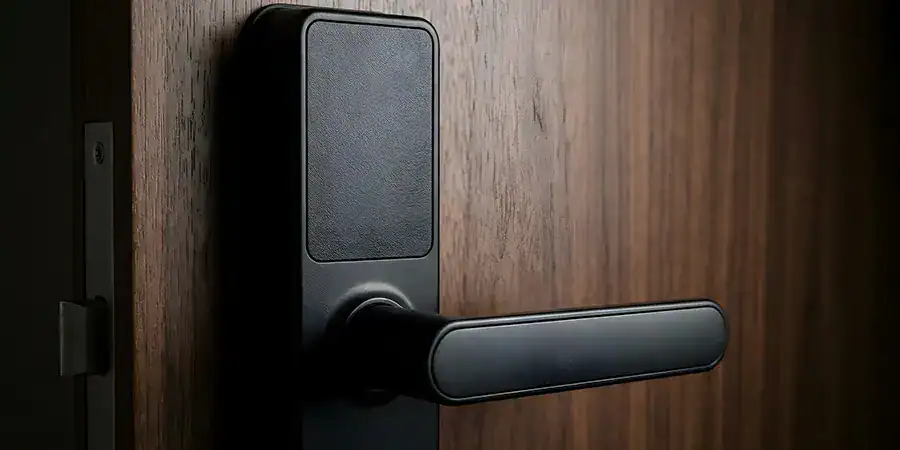
No more hidden spares, no more lost keys, and no more fumbling at your door in the dark. Biometric locks offer ultimate convenience, but are they truly reliable day in and day out?
This guide examines how fingerprint deadbolts perform in daily use, how to avoid common scanning glitches, and what you need to know before installing one.
How Do Fingerprint Deadbolts Work?
Fingerprint deadbolts use an optical or capacitive sensor to scan the unique ridges and patterns of your fingertip. Here’s the process:
- Enrollment: You register one or more fingerprints through the lock’s built-in scanner.
- Storage: The lock converts your fingerprint into an encrypted digital template (not an actual image) and stores it in its internal memory.
- Matching: Each time you touch the sensor, the lock compares the new scan against stored templates.
- Unlocking: If the scan matches, the deadbolt retracts.
Most residential models support 20 to 100 stored fingerprints, making them well-suited for families, roommates, or homes with regular visitors like dog walkers or house cleaners.
How Reliable Are Fingerprint Deadbolts in Daily Use?
For most Southern California homeowners, fingerprint deadbolts perform reliably under normal conditions. That said, reliability depends on a few key factors:
- Sensor type: Capacitive sensors (which read the electrical properties of your skin) tend to outperform older optical sensors, especially in bright sunlight or with dirty fingers.
- Weather exposure: Southern California’s dry, sunny climate is favorable for biometric locks, since humidity and moisture lead to more scanning errors than heat does.
- Sensor maintenance: A dirty or scratched sensor is the most common cause of failed reads, not a hardware defect.
- Finger condition: Cuts, calluses, or extremely dry skin can occasionally cause misreads.
Manufacturers report recognition accuracy rates of 99% or higher for well-maintained sensors. In practice, most failed unlock attempts trace to a dirty scanner or a finger placed at the wrong angle, not a flaw in the technology.
Pros of Biometric Scanner Locks
- Convenience: No more digging through pockets or purses for keys.
- No lost keys: You can’t lose or duplicate a fingerprint the way you can a metal key.
- Fast access: Most locks unlock in under a second once your fingerprint is recognized.
- Multi-user access: Great for families, since each member can store their own print.
- Access tracking: Many models log entry times, which is useful if you want to know when your kids get home from school.
- Backup options: Most fingerprint deadbolts also include a keypad or physical key override for added flexibility.
Cons of Biometric Scanner Locks
- Cost: Biometric deadbolts typically run $150 to $300, more than standard keyed deadbolts.
- Battery dependency: These locks run on batteries (usually AA or lithium), which need periodic replacement.
- Weather sensitivity: While Southern California’s dry climate helps, direct sun exposure on south-facing doors can affect sensor lifespan over time.
- Learning curve: Enrollment and settings adjustments require a bit of setup time compared to a traditional lock.
- Sensor wear: Optical sensors, in particular, can degrade with heavy daily use.
Maintenance Tips for Long-Term Reliability
Taking care of your fingerprint deadbolt is quick and simple. A few maintenance steps will keep it running like new:
- Clean the sensor weekly with a microfiber cloth to remove dust, oil, and residue.
- Re-enroll fingerprints if you notice an increase in failed scans, since aging or skin changes can affect accuracy.
- Replace batteries every 6 to 12 months, even if the lock hasn’t given a low-battery warning.
- Shield south-facing doors with an awning or overhang if possible, since direct sun exposure can shorten sensor lifespan.
- Test the backup entry method (keypad or key) regularly, so you’re not caught off guard if the sensor ever fails.
Security Considerations Before You Install
Biometric locks add convenience, but security should stay top of mind:
- Look for ANSI Grade 1 or Grade 2 certification, which indicates that the deadbolt itself can withstand forced-entry attempts.
- Check for encrypted fingerprint storage, so your biometric data can’t be extracted or hacked.
- Confirm backup access options, since a keypad or physical key ensures you’re never locked out if the sensor malfunctions.
- Review the false acceptance rate (FAR), which measures how often an unauthorized fingerprint might be mistakenly accepted. Look for locks with a FAR below 0.001%.
Is a Fingerprint Deadbolt Right for Your Home?
Fingerprint deadbolts strike a balance between convenience and security. They’re especially worth considering if you have a busy household, frequent visitors, or simply want to eliminate the hassle of physical keys.
If you’re comfortable with basic DIY installation (most fingerprint deadbolts fit standard door prep and take under an hour to install), this is a project you can tackle yourself over a weekend. Just budget time for fingerprint enrollment and sensor calibration once it’s mounted.
For homeowners who want even more peace of mind, pair your fingerprint deadbolt with a smart doorbell camera for a complete, layered entry system.
FAQs: Biometric Scanner Locks
Q: How accurate are fingerprint deadbolts?
Most fingerprint deadbolts have a recognition accuracy rate of 99% or higher when the sensor is clean and properly maintained. Accuracy can drop temporarily if fingers are wet, dirty, or injured.
Q: Do fingerprint deadbolts work in hot or sunny climates?
Yes. Fingerprint deadbolts generally perform well in dry, warm climates like Southern California. Direct, prolonged sun exposure on south-facing doors can shorten sensor lifespan over time, so an overhang or awning helps.
Q: How long do the batteries last in a fingerprint deadbolt?
Most fingerprint deadbolts run on AA or lithium batteries that last 6 to 12 months with regular daily use, depending on the model and frequency of access.
Q: Can fingerprint deadbolts be hacked?
Reputable fingerprint deadbolts store encrypted fingerprint templates rather than actual images, making them difficult to hack. Choosing a lock with strong encryption standards further reduces this risk.
Q: What happens if the fingerprint sensor stops working?
Nearly all fingerprint deadbolts include a backup entry method, such as a keypad code or physical key, so you’re never locked out if the sensor malfunctions or the battery dies.
Q: How many fingerprints can a biometric deadbolt store?
Most residential fingerprint deadbolts store between 20 and 100 fingerprints, which is enough for a family plus regular visitors like cleaners or pet sitters.
Q: Are fingerprint deadbolts a good DIY installation project?
Yes. Most fingerprint deadbolts are designed for standard door prep and can be installed with basic tools in under an hour, making them a manageable project for intermediate DIYers.
Q: Is a fingerprint deadbolt worth the cost compared to a standard lock?
If convenience, keyless access, and entry tracking matter to you, the 150-300 price tag is often worth it. Homeowners who prioritize simplicity and lower upfront cost may prefer a standard or keypad deadbolt instead.